AI that sharpens your profile and writes your follow-ups.
Three creator tools (Profile Designer, Lead Advisor, Gmail Follow-Up Composer) run on pay-as-you-go AI credits — buy a pack, use them when you need them. The visitor-facing AI chat that qualifies leads on your profile comes with PRO, with no credits to spend.
What it is
An assistant — not an autopilot.
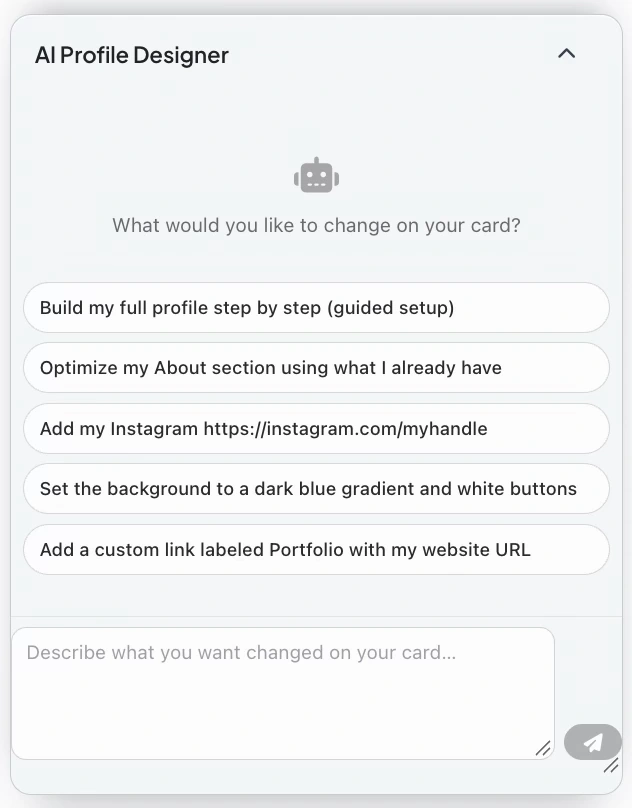
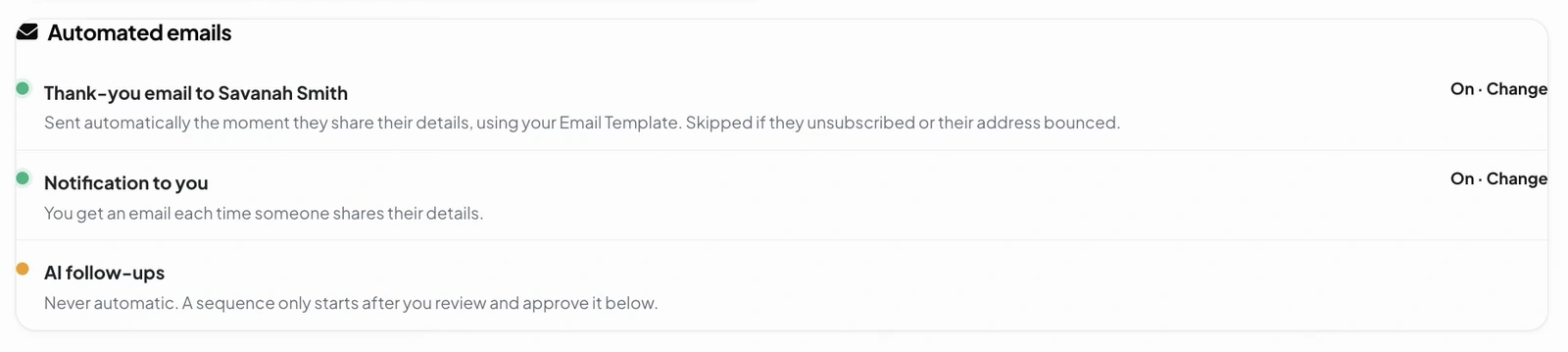
The AI never sends anything without your approval. It drafts, suggests, and ranks; you click. Three flows live inside your dashboard: the Profile Designer (inside the profile editor), the Lead Advisor (inside your Built-in CRM), and the Follow-Up Composer.
We work with leading AI providers (the same names you've heard of) under strict data-protection agreements. Your contacts, messages, and content are never used to train AI models — ours or theirs. You can switch AI features off in Settings at any time.
Designer · Advisor · Composer — Three focused tools. No "build me a website" generators. Just real help on real tasks.
The three AI flows
Where AI fits, exactly.
AI Profile Designer PRO
Click "Rewrite copy" on your headline or bio. AI suggests 2-3 alternative phrasings tuned to your industry — concise, branded, or punchy. Apply with one click, edit further by hand.
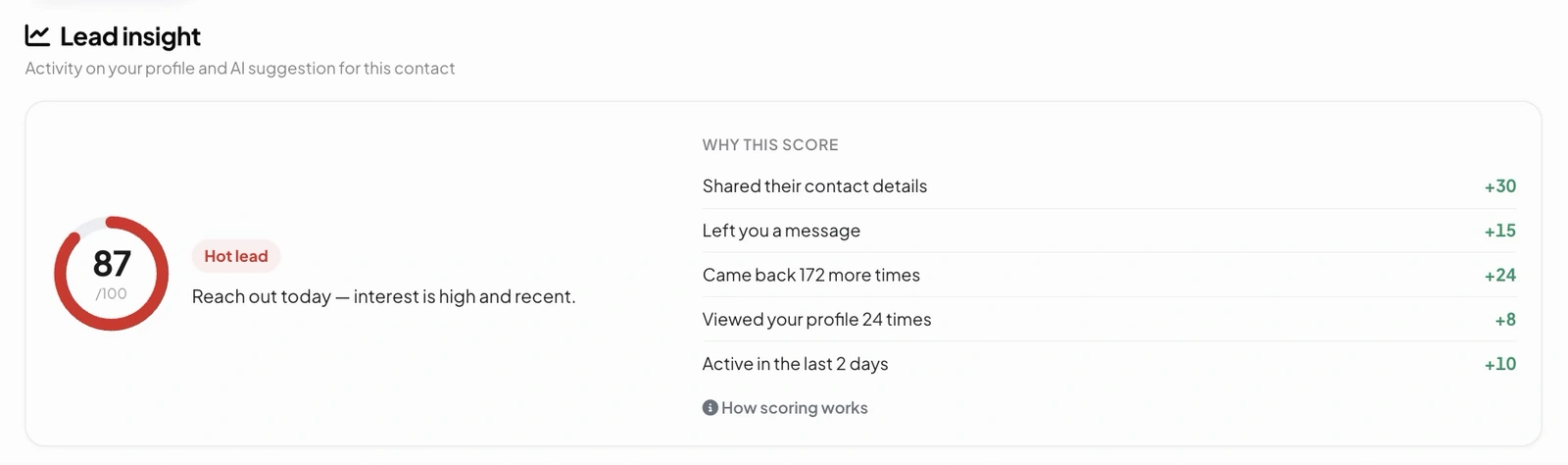
Smart Lead Advisor PRO
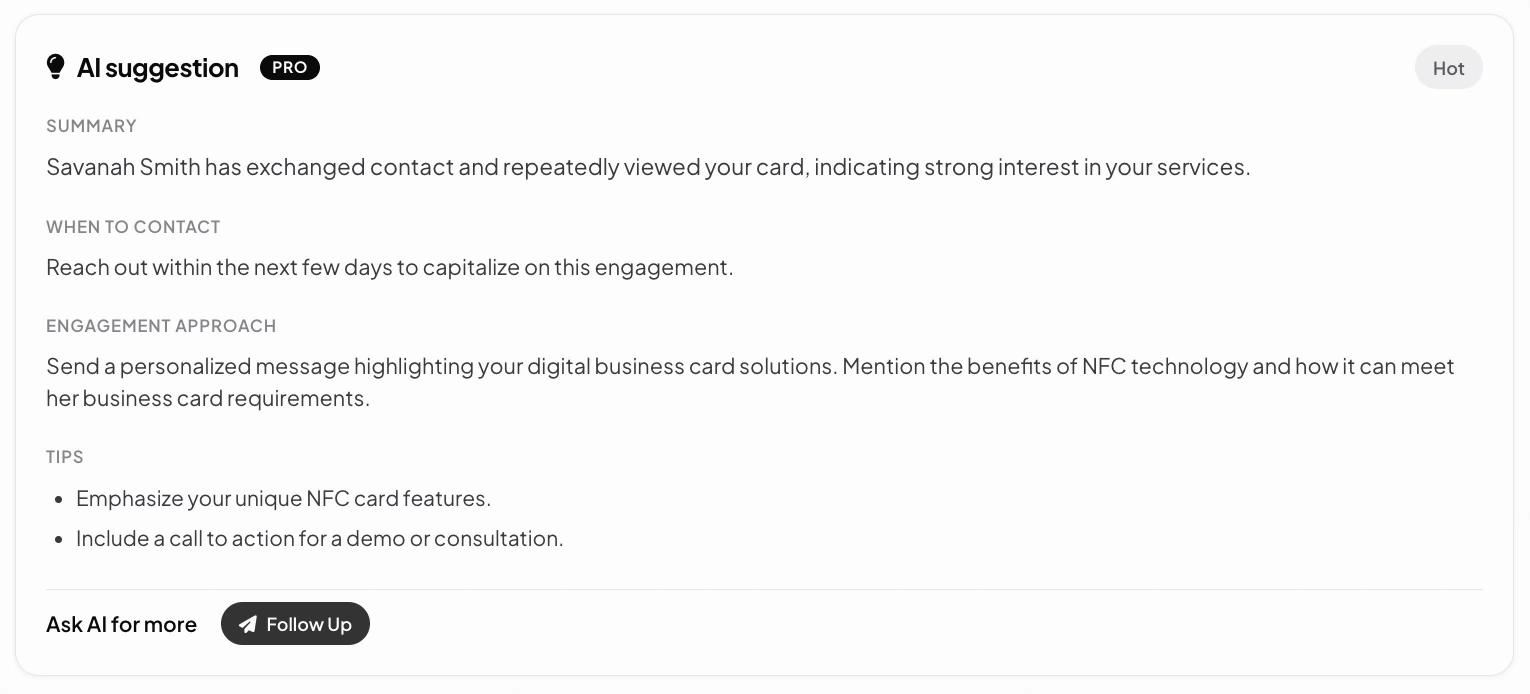
Looks at your visitor analytics + CRM activity and flags 3–5 contacts worth a message today. Each suggestion shows why — "viewed your profile 3 times this week" or "added to contacts but never replied."
Gmail Follow-Up Composer PROBeta
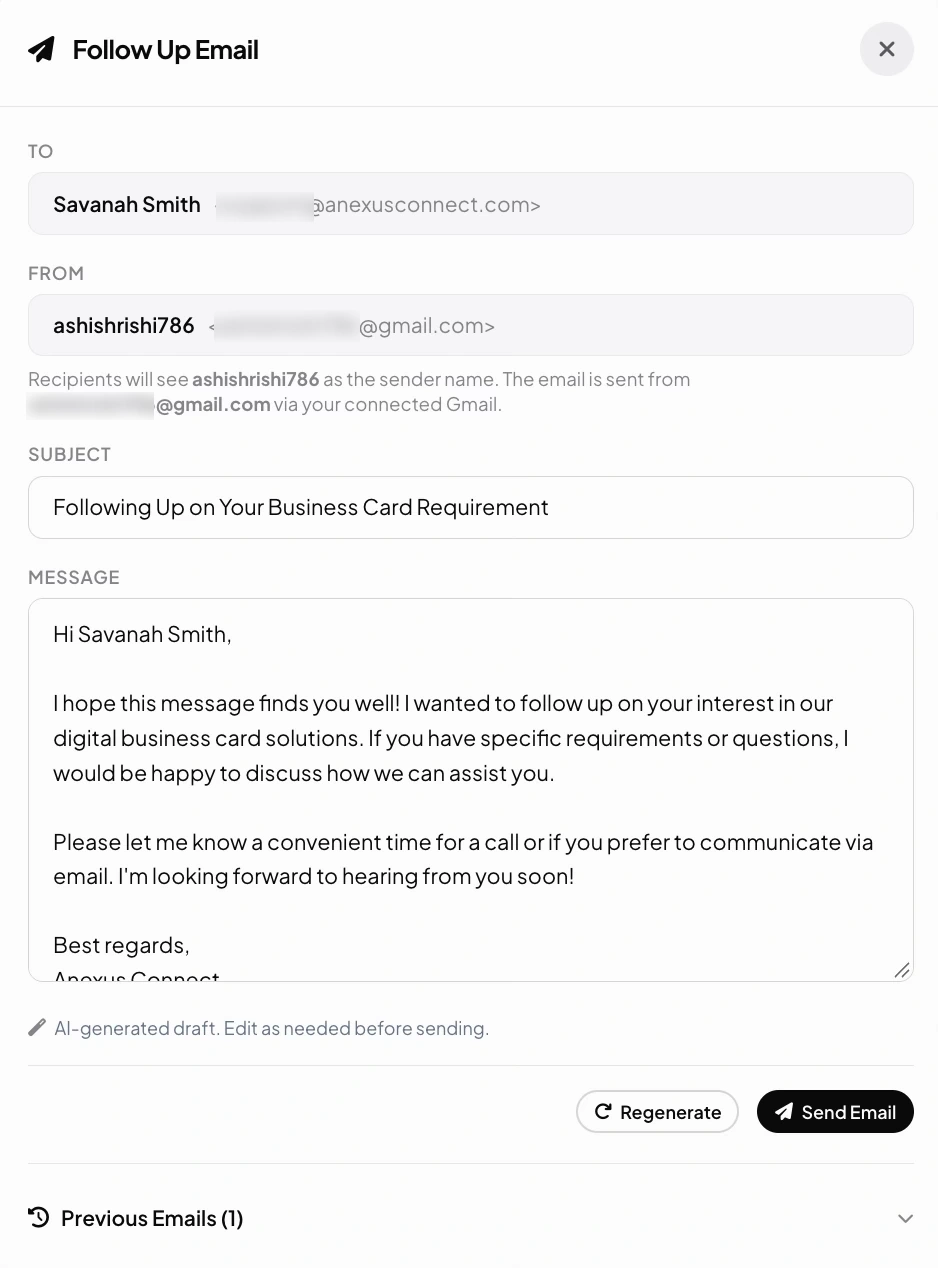
Pick a contact, click "Draft follow-up." AI writes a short email using context — when you met, what they viewed, any notes you've kept. Review, edit, send through your Gmail. The Gmail send integration is in Beta — fully working, actively iterated on.
Gmail integration Beta
Drafts in our app. Sent from your inbox.
Anexus connects to Gmail through Google's secure "Sign in with Google" — and only asks for permission to send mail on your behalf. We don't read your existing inbox. When AI drafts a follow-up, you preview it, edit it, and click "Send via Gmail." The email goes out from your address — replies land in your inbox — and a record of the message stays on the contact. This integration is currently in Beta in PRO — it works end-to-end, and we're still polishing edge cases.
- Your contacts don't see anything from Anexus — they see your name and reply-to
- You can revoke the Gmail connection any time from Google security settings
- No mass-mailing — AI drafts are one-to-one, contextual
- All AI-drafted emails marked with a small badge in your CRM history for transparency
How AI is priced
Visitor AI Chat comes with PRO. Creator AI runs on credits.
The visitor-facing AI chat — the one that qualifies people landing on your profile and turns the conversation into a structured lead — is part of every PRO plan, with no credits to buy. The three creator-side AI tools (Profile Designer, Lead Advisor, Gmail Follow-Up Composer) run on AI credits you buy in-app. Each generation consumes a small number of credits depending on its length and complexity. Top up once, use them when you need them — no monthly commitment, no surprise overage.
Visitor AI · PRO
Included with PRO, no credits required
- Visitor AI Chat on your profile — qualifies leads with conversational questions
- Lead capture from the AI conversation lands in Built-in CRM
- No setup and no credits — on PRO the visitor AI is always on
- Creator-side AI is a separate, credit-based product (right)
Creator AI · Credits
Pay-as-you-go credits for the creator suite
- AI Profile Designer — rewrite your headline, bio, and sections with one click
- Smart Lead Advisor — who's worth a message today, and why
- Gmail Follow-Up ComposerBeta — context-aware drafts sent from your own Gmail
- Buy credit packs in the app — no subscription, no expiry surprise (terms shown at checkout)
- AI runs through trusted providers under strict data-protection agreements — we never train models on your data
- Credits are non-refundable except where consumer-protection law requires otherwise
Just want this one feature? Buy it on its own from Settings → Feature Store in the app — no full PRO needed. See how →
On your profile
The one AI that answers without you.
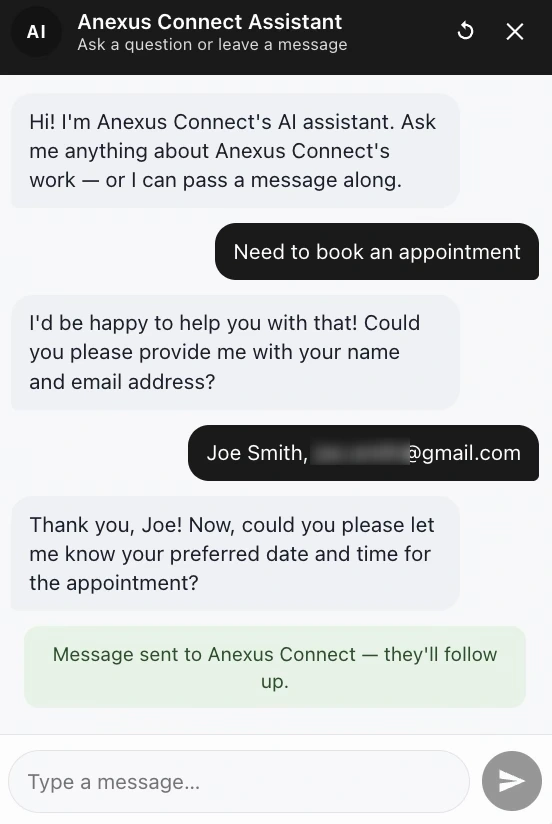
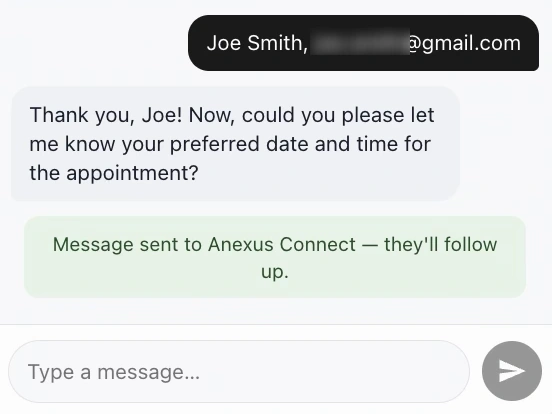
The three flows above sit in your dashboard and wait for your click. The assistant on your smart profile works the other way round: it answers visitors on its own, from what you have published about your business.
What it will not do is speak for you. When a visitor wants something it cannot settle — a booking, a quote, a question only you can answer — it takes their name and email, hands the message to you, and tells them you will follow up.
Related features
Pairs well with
Frequently asked questions
Is the AI free, or does it cost extra?
Both, depending on the tool. The visitor-facing AI Chat — the one that qualifies people landing on your profile and turns the conversation into a structured lead — comes with PRO, with no credits and no caps. The three creator-side tools (Profile Designer, Lead Advisor, and the Gmail Follow-Up Composer) run on pay-as-you-go AI credits you buy in-app: top up once and use them when you need them, with no monthly commitment.
Will the AI send messages on its own?
No. It's an assistant, not an autopilot. The AI drafts, suggests, and ranks — it writes the draft; you make it sound like you, then you click. Nothing is sent without your approval, and you can switch the AI features off in Settings at any time.
Is my data used to train AI models?
No. Your contacts, messages, and content are never used to train AI models — ours or our providers'. We work with leading AI providers under strict data-protection agreements, and you can turn the AI features off in Settings whenever you like.
What do the three creator tools actually do?
The AI Profile Designer rewrites your headline or bio, suggesting 2-3 alternative phrasings tuned to your industry that you apply with one click and edit further by hand. The Smart Lead Advisor looks at your visitor analytics and CRM activity and flags 3–5 contacts worth a message today, showing why (for example "viewed your profile 3 times this week"). The Gmail Follow-Up Composer drafts a short, context-aware email for a contact that you review, edit, and send from your own Gmail.
How does sending through Gmail work?
Anexus connects through Google's secure "Sign in with Google" and only asks for permission to send mail on your behalf — we don't read your existing inbox. You preview and edit each AI-drafted follow-up, then click "Send via Gmail": the email goes out from your own address and replies land in your inbox. Sends are one-to-one, a record stays on the contact in your CRM, and you can revoke the connection any time from Google's security settings. This integration is currently in Beta within PRO.